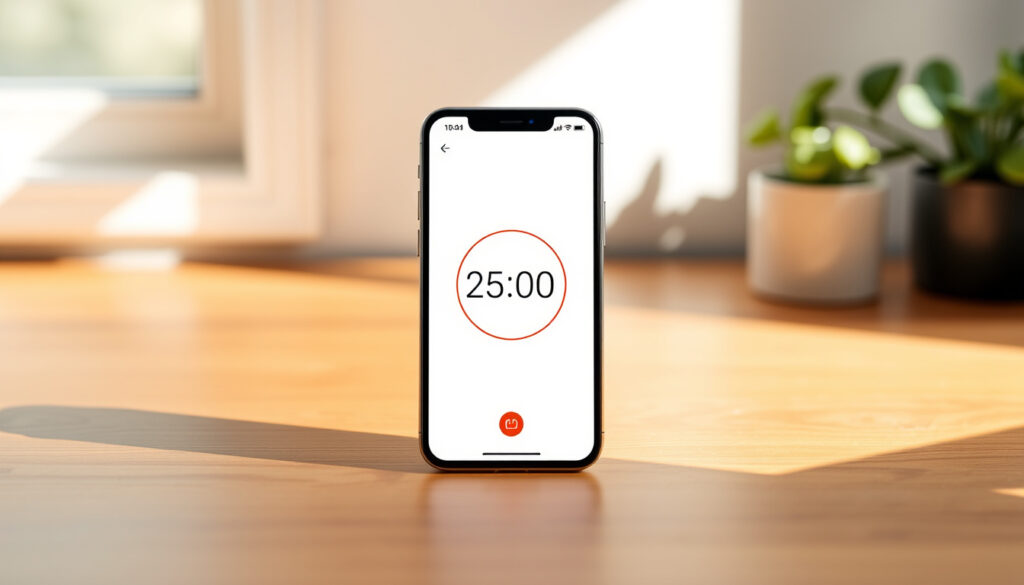
25 Minute Timer – Free Apps and Setup Guide
A 25 minute timer forms the backbone of the Pomodoro Technique, a time management method that has helped millions of people worldwide tackle procrastination and boost their daily productivity. By breaking work into focused intervals separated by short breaks, this approach aligns with how the human brain naturally sustains attention. Whether you are a student preparing for exams, a professional managing multiple projects, or simply looking for ways to stay on task, understanding how to use a 25 minute timer effectively can transform your workflow.
The concept behind the 25 minute timer is surprisingly straightforward. Rather than facing an entire workday as one overwhelming block, you commit to a single focused session lasting exactly 25 minutes. When the timer signals the end of that interval, you take a brief break before starting the next round. After completing four rounds, a longer break allows your mind to fully recharge. This rhythm of work and rest has proven particularly effective for people who struggle with distraction or tend to overestimate how long they can maintain concentration.
This guide covers everything you need to know about setting up and using a 25 minute timer, including free online tools, smartphone apps for both iPhone and Android, and practical strategies for studying and working more efficiently.
What Is a 25 Minute Timer and Why Use It?
A 25 minute timer is a countdown tool that helps you work in discrete intervals based on the Pomodoro Technique. Each interval, known as a “pomodoro” (Italian for tomato, named after the tomato-shaped kitchen timer its creator originally used), lasts exactly 25 minutes. After each interval, you take a 5 minute break before starting the next pomodoro. This cycle repeats four times, followed by a longer break of 15 to 30 minutes.
Focused Pomodoro work sessions
25 min work + 5 min break
Online timers, phone apps, built-in clocks
Improved concentration and task completion
The technique was developed by Francesco Cirillo in the late 1980s while he was a university student. Frustrated by his inability to focus for extended periods, he grabbed a tomato-shaped kitchen timer from his kitchen and committed to just 10 minutes of focused study. That initial experiment evolved into the structured system known today. Cirillo later formalized the method in the 1990s through his book and consultancy practice.
Key Insights About the 25 Minute Timer
- Developed by Francesco Cirillo in the late 1980s as a personal productivity experiment
- The 25 minute duration aligns with average human sustained attention spans of 20 to 30 minutes
- Pairing work intervals with 5 minute breaks prevents mental fatigue and burnout
- Most apps include sound alarms or notifications to signal interval changes
- The technique emphasizes completing one task per interval to build momentum
- Research-backed benefits include better time management and reduced procrastination
- Visual reports from apps help track daily and weekly focus patterns
Snapshot: Pomodoro Timer Facts
| Attribute | Value |
|---|---|
| Standard Duration | 25 minutes |
| Break Duration | 5 minutes |
| Full Cycle | 4 sessions + 15-30 min long break |
| Technique Name | Pomodoro |
| Inventor | Francesco Cirillo |
| Origins | Late 1980s university study |
| Core Principle | Timeboxing with single-task focus |
Research into human attention spans consistently shows that most people can maintain focused concentration for approximately 20 to 30 minutes before mental fatigue sets in. The 25 minute interval sits comfortably within this optimal range, allowing for deep work without overtaxing cognitive resources.
Best Free Online 25 Minute Timers
One of the easiest ways to start using a 25 minute timer is through free web-based tools that require no download or installation. These platforms work immediately in your browser and offer features ranging from simple countdown displays to integrated task management and progress reporting.
Pomofocus.io stands out as a popular choice among students and professionals. The platform lets you add tasks, estimate how many pomodoros each task requires, and start the timer with automatic transitions between work and break periods. You can customize sounds, choose different background themes, and review detailed reports of your daily and weekly focus time. The interface remains clean and straightforward, making it accessible for users of all technical skill levels.
For those who need something even simpler with no installation required, Softaims Pomodoro Timer offers a quick-start web timer with fullscreen mode, keyboard shortcuts, and customizable interval durations. The tool includes notifications, task tracking features, and the ability to generate printable workout or interval schedules for activities outside traditional work sessions.
Additional web-based options include Marinara Timer, which provides the classic 25/5 configuration along with fully customizable intervals and distinct alarm sounds, and TomatoTimer, which offers straightforward session and break customization with instant setup. Both tools run entirely in the browser without requiring account creation.
No-App Options for Desktop Users
- Pomofocus.io — Task management, reports, custom sounds
- Softaims Timer — Fullscreen, shortcuts, workout intervals
- Marinara Timer — Customizable cycles, “ding” alarms
- TomatoTimer — Instant setup, adjustable sessions
Both iPhone and Android devices include clock apps with timer functionality that can serve as a 25 minute timer without downloading any additional software. Simply open the Clock app, select Timer, set 25 minutes, and choose an alarm sound. This approach delivers a no-ads experience while remaining immediately accessible.
How to Set a 25 Minute Timer on Your Phone
Setting up a 25 minute timer on your smartphone requires either using your device’s built-in clock application or installing a dedicated Pomodoro app from an app store. Both approaches work well, though dedicated apps typically offer more features like automatic interval switching, task lists, and progress analytics.
Using Built-In Clock Apps
On an iPhone, open the Clock app and tap the Timer tab at the bottom of the screen. Set the duration to 25 hours and 0 minutes by scrolling through the picker wheels. Before tapping Start, tap “When Timer Ends” and select your preferred alarm sound. Keep in mind that iOS timers count down from a selected duration, so setting 25:00 will give you exactly 25 minutes.
On an Android device, the process follows a similar path. Open the Clock app, select Timer, and use the number pad or scroll wheels to enter 25 minutes. Choose your alarm sound and tap Start. Android’s timer will count down precisely to zero and trigger your selected notification.
Dedicated Pomodoro Apps
For a more feature-rich experience, consider downloading a dedicated Pomodoro app. Forest (available for both iOS and Android) adds a gamified layer where you grow virtual trees during each 25 minute session. The longer you focus, the more your forest grows. The Android version is free with advertisements, while the iOS version costs $3.99.
Focus Keeper and its companion Goodtime offer an ad-free experience with customizable 25 minute intervals and basic progress reporting. Both apps work well for students who want a minimalist interface without distractions.
Apple users might also explore Flow or Session, which integrate timeboxing features with optional over-the-top functionality. These apps start free with basic features and offer premium upgrades starting at $1.49 per month. Android users can try Otto, which provides simple interval timing across Chrome, Windows, and mobile platforms.
| App | Platforms | Key Features | Pricing |
|---|---|---|---|
| Forest | iOS/Android | Gamified tree growing, 25/5 cycles, task lists | iOS $3.99; Android free w/ads |
| Focus Keeper | iOS/Android | Ad-free, customizable, reports | Free w/IAP |
| FocusList | iOS/Mac/Watch | 25/5 planner, priorities, reminders | Free |
| Session | iOS/Mac | Timeboxing, over-the-top features | Free basic; $1.49+/mo |
| Otto | Android/Chrome/Windows | Simple intervals, cross-platform | Free basic |
Step-by-Step Setup for Mobile Apps
- Download your chosen app from the App Store or Google Play, or open your phone’s built-in Clock app
- Create a task or assign a project to your upcoming 25 minute session
- Set notifications or alarms for both the work interval (25 minutes) and break period (5 minutes)
- Start your session and focus entirely on the designated task until the alarm sounds
- Mark the session as complete and record any interruptions or notes for later review
While the standard Pomodoro uses 25 minute work intervals, the technique allows for customization based on your personal attention span and work requirements. Some users prefer shorter 15 minute sessions for highly demanding tasks, while others extend to 30 or 45 minutes for creative work that benefits from longer uninterrupted blocks.
Using a 25 Minute Timer for Productivity and Studying
The 25 minute timer serves as more than just a countdown tool. When applied thoughtfully, it becomes a framework for managing attention, tracking progress, and building sustainable work habits. The key lies in following a consistent workflow that leverages each interval effectively.
Effective Workflow for Focus Sessions
Before starting your first 25 minute session, spend two to three minutes planning your tasks. Write down what you intend to accomplish during the upcoming interval and assign it to a specific task. This pre-session planning prevents the common trap of drifting between unrelated activities without making meaningful progress on any single item.
During each pomodoro, commit fully to the designated task. When distractions arise, resist the urge to address them immediately. Instead, note them briefly and return to your work. Many users find that distractions lose their urgency once they are recorded rather than acted upon immediately.
When the timer signals the end of an interval, stop working even if you are in the middle of a thought. This enforced stopping point trains your brain to work with greater intensity during the allocated time. Take your 5 minute break genuinely — stretch, grab a drink, or simply stare out the window. This break is not wasted time; it consolidates learning and prevents fatigue.
Tracking and Iteration
After completing four pomodoros, take a longer break of 15 to 30 minutes and review what you accomplished. Apps like Pomofocus and Toggl Track generate visual reports showing your daily and weekly focus time, helping you identify patterns and adjust your estimates for future sessions. Over time, you develop a more accurate sense of how many pomodoros a given task requires.
For students, this approach proves particularly valuable during exam preparation. Breaking study sessions into 25 minute intervals with regular breaks helps maintain concentration over extended periods without the mental fog that often accompanies marathon study sessions.
Beyond Traditional Work Sessions
The 25 minute interval structure adapts well to activities beyond desk work. Using tools like Softaims, you can generate custom interval timers for workouts, household cleaning sprints, or creative practice sessions. The framework remains the same: focused effort for 25 minutes, followed by a break, repeated for a set number of cycles. This versatility makes the technique relevant across many areas of daily life.
Advanced users can connect their Pomodoro timers with calendar applications and task management tools through platforms like Zapier or Toggl Track. These integrations automate session logging, sync progress across devices, and provide comprehensive productivity dashboards that combine Pomodoro data with broader time-tracking metrics.
The Evolution of the Pomodoro Technique
Understanding how the 25 minute timer and Pomodoro Technique have evolved over time provides context for why this approach remains relevant decades after its inception.
- Late 1980s: Francesco Cirillo develops the technique while studying at university, initially using just 10 minute intervals with a kitchen timer
- Early 1990s: Cirillo formalizes the method through published materials and consulting work, expanding the interval to the now-standard 25 minutes
- 2000s: The rise of smartphones and web browsers leads to the first digital Pomodoro timers
- 2010s: Online timers like Pomofocus and TomatoTimer proliferate, making the technique accessible without any software installation
- 2020s: Mobile apps dominate the landscape, with gamification features like Forest adding motivational layers to basic interval timing
Facts and Misconceptions About 25 Minute Timers
While the Pomodoro Technique has proven helpful for many users, some aspects remain firmly grounded in research while others allow for personal adaptation.
| Established Fact | Common Misconception |
|---|---|
| The 25 minute duration aligns with research on sustained attention spans | The technique must always use exactly 25 minutes without variation |
| Regular breaks are essential for preventing mental fatigue | Skipping breaks increases productivity |
| One task per interval builds focus and reduces multitasking | The technique only works for office or computer work |
| Progress tracking improves motivation over time | Timers alone guarantee productivity without effort |
The Pomodoro Technique works best as a flexible framework rather than a rigid rulebook. While 25 minutes suits most people, individuals with different attention spans or work demands may benefit from shorter or longer intervals. The core principle remains consistent: focused work separated by deliberate rest periods.
Background and Psychological Basis
The effectiveness of the 25 minute timer draws from well-documented principles of cognitive psychology. Human attention operates in cycles of waxing and waning, with concentration naturally peaking and then declining over roughly 20 to 30 minute periods. By structuring work around these natural rhythms rather than fighting against them, the Pomodoro Technique works with cognitive constraints rather than against them.
The technique also addresses what psychologists call “attention residue” — the mental leftover from incomplete tasks that continues to occupy cognitive resources even after you have moved on to other activities. By completing defined intervals and tracking progress visually, users gain a sense of closure that reduces this residue and frees mental capacity for the next task.
Furthermore, the built-in breaks serve a critical function for memory consolidation. Research in cognitive science consistently shows that taking breaks after learning or focused work helps transfer information from short-term to long-term memory. The 5 minute breaks in the Pomodoro cycle provide exactly this opportunity for mental processing.
Francesco Cirillo described the philosophy behind the technique as emphasizing simplicity and accessibility over complexity. The kitchen timer on his desk represented the most basic possible tool — no screens, no apps, just mechanical countdown. This simplicity remains at the heart of why the technique has endured.
Final Thoughts
The 25 minute timer represents a deceptively simple tool with profound implications for how we approach work and study. By respecting the natural limits of human attention, providing built-in recovery periods, and encouraging single-task focus, the Pomodoro Technique offers a framework that scales from students cramming for exams to professionals managing complex projects.
Whether you use a web-based timer like Pomofocus, a dedicated app on your phone, or simply your device’s built-in clock, the mechanics remain the same. Commit 25 minutes to a single task, take your break when the timer sounds, and repeat. Over time, this rhythm builds habits of sustained concentration that transfer far beyond timer-assisted work sessions.
If you are looking to improve your study environment further, consider pairing your new focus routine with appropriate eye protection. blue light glasses can help reduce digital eye strain during extended screen time, complementing the breaks your timer already schedules. Similarly, maintaining a clean workspace with tools like the best robot vacuum Australia offers can reduce background distractions that compete for your attention.
Frequently Asked Questions
What is the best 25 minute timer app for studying?
Pomofocus.io works well for web-based studying, while Forest offers gamified motivation for mobile users. Focus Keeper provides an ad-free experience ideal for distraction-free study sessions.
How does the Pomodoro Technique work with a 25 minute timer?
You work focused for 25 minutes, take a 5 minute break, then repeat. After four cycles, you take a longer 15 to 30 minute break. This rhythm manages attention and prevents mental fatigue.
Can I use a 25 minute timer for workouts?
Yes. Many apps like Softaims allow custom intervals, so you can set 25 minute work periods followed by breaks for interval training or cleaning sprints.
Is there a free 25 minute timer without advertisements?
Both Pomofocus.io and the built-in Clock apps on iPhone and Android provide free, ad-free options. Focus Keeper also offers an ad-free experience with optional in-app purchases.
Who created the Pomodoro Technique?
Francesco Cirillo developed the technique in the late 1980s while a university student. He named it after the tomato-shaped kitchen timer he used as a visual aid.
How accurate is the 25 minute duration for productivity?
The 25 minute length aligns with research on average human sustained attention spans, which typically range from 20 to 30 minutes for focused cognitive tasks.
Can I customize the Pomodoro interval length?
Absolutely. While 25 minutes represents the standard, many apps and timers allow custom durations. Some users prefer shorter intervals for highly demanding tasks, while others extend sessions for creative work.
More related posts
 Russell Coight: The Iconic Aussie Comedy Show and Character
 Karan Aujla: Biography, Net Worth, Wife, Attack & More
 Electric Sports Cars – Best 2024 Models Ranked
 Green Slip Quote Allianz: 2025 NSW CTP Costs & Comparison
 Richie Benaud: Captain, Commentator, and Cricket Legend
 St. Thomas Aquinas: Biography, Five Ways & Teachings
 Active Truth Swimwear – Reviews Sizes Buying Guide 2025
 Australia Zoo Tickets: Prices, Discounts & Buy Online Guide
